
DirectPath I/O supported with ASUS M5A97 R2.0/AMD FX-8350
This post was published in 2013 and may be outdated.
Here is my HomeLab configuration:
- MotherBoard: ASUS M5A97 R2.0
- CPU : AMD FX-8350 (8 Cores - 4.0Ghz)
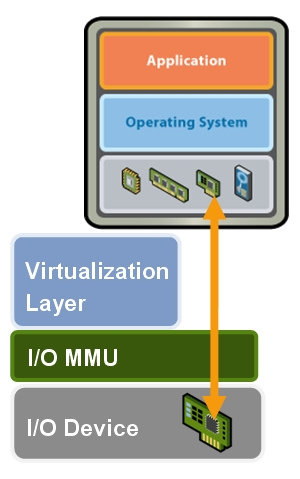
What is DirectPath IO ?
How to configure it with an ASUS M5A97 R2.0
- Enter into the BIOS and navigate to the Advanced Settings (using
F7) - Under North Bridge Configuration
IOMMUis set to “Disabled” by default, set it to “Enabled”
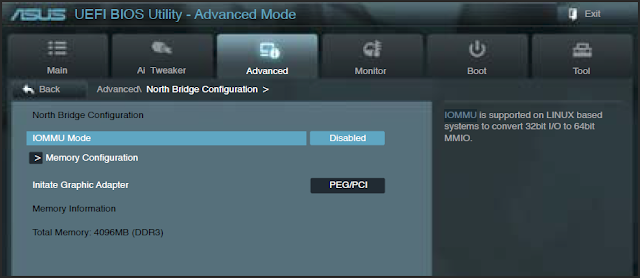
Now save the configuration and boot under ESXi.
And you’re done :slightly_smiling_face:

Leave a comment